Product
A simpler way from ask to done. One place to request, collect, review, and follow through.
Ask
Ask for everything. Share one link.
- Files, answers and choices
- Ask for documents and photos, a typed reply, or a pick from set options.
- Follow-up questions
- Items that appear only when an answer calls for them.
- Templates
- Save any checklist and send it again in seconds.
- Several clients at once
- Same checklist, many clients, each with a private link.
Also Due dates · Notes and examples on any item · Email the link, or share it yourself
Your client’s side
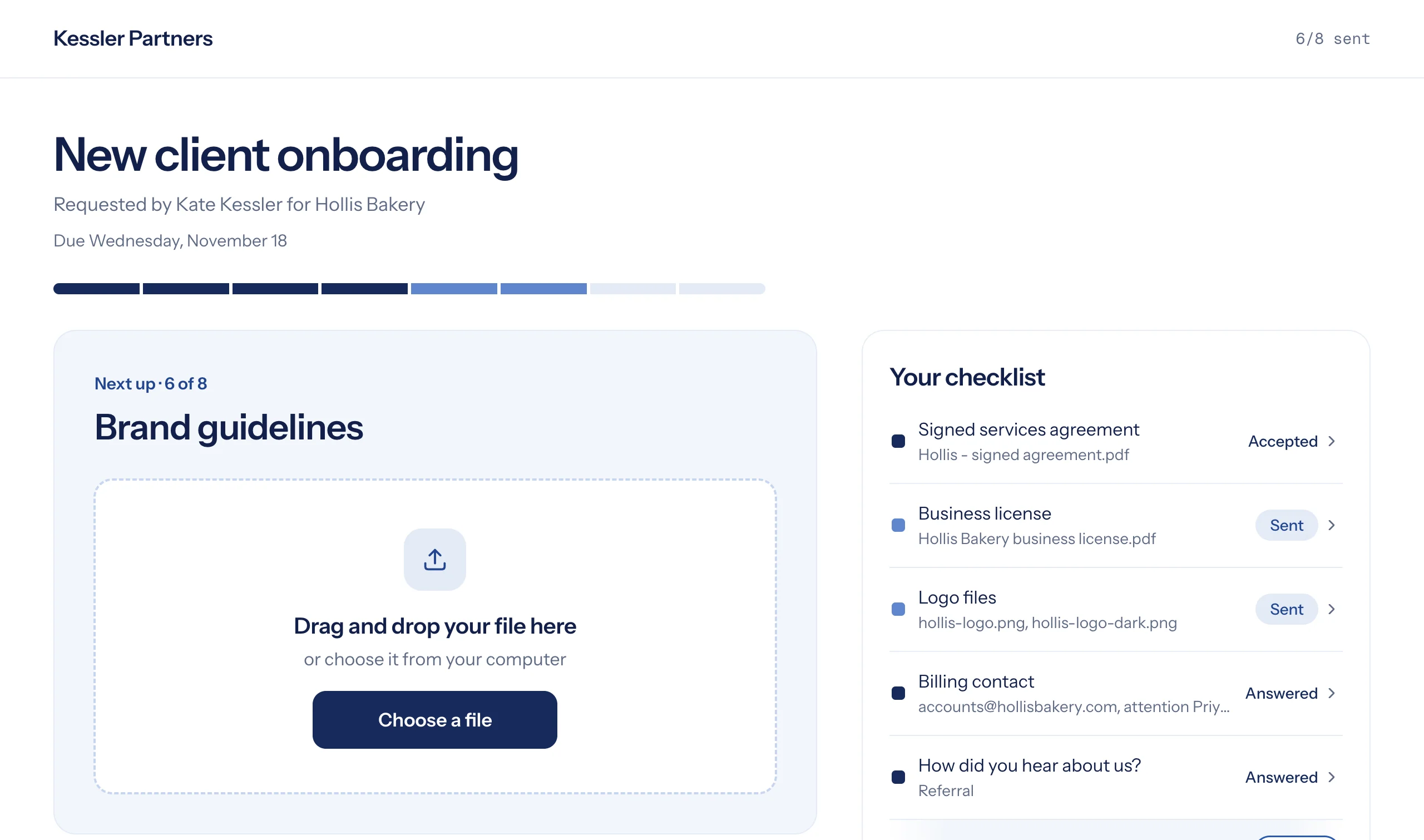
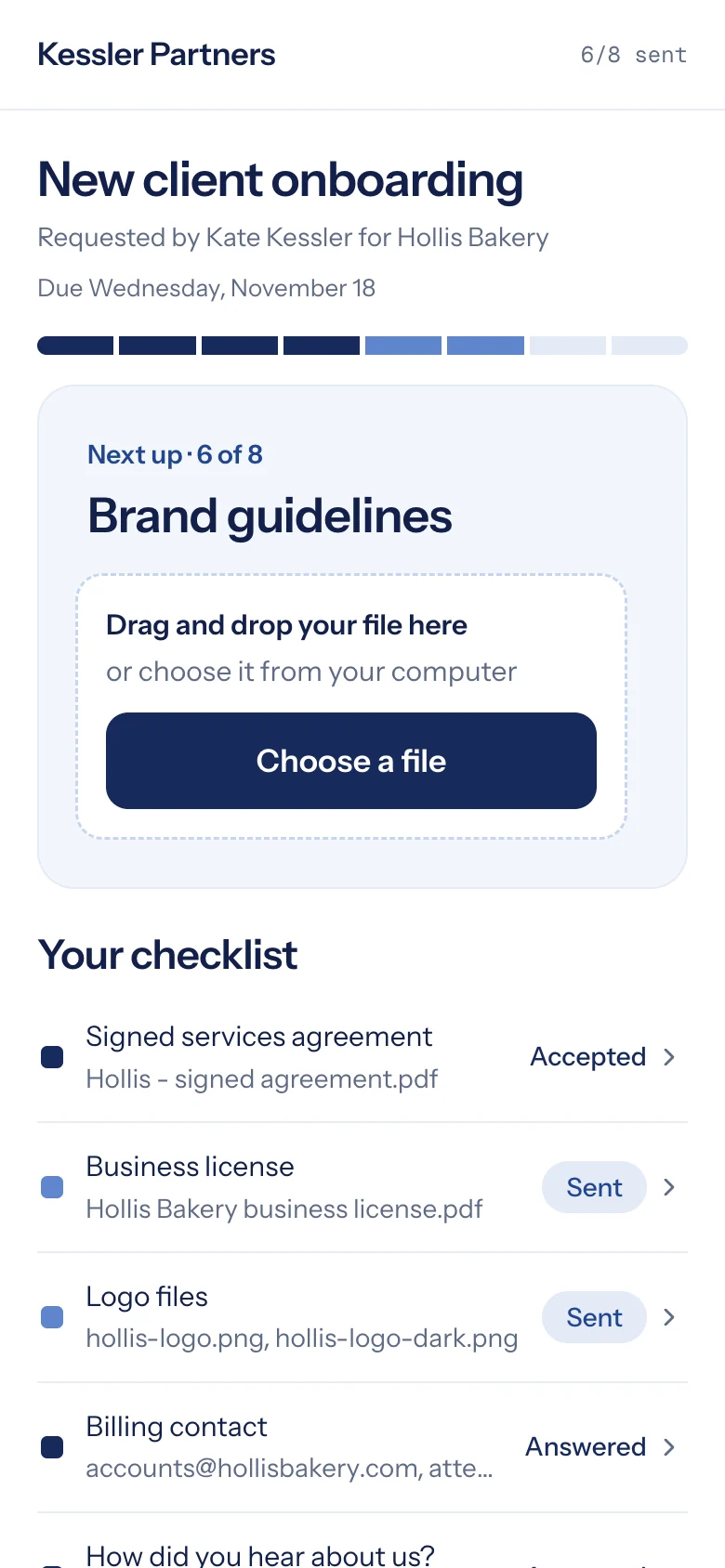
One link, nothing to install, no account. A calm page that shows one thing at a time and what’s left.
- No account
- A private link. Nothing to download or remember.
- Any device
- Drag files in on a laptop, or snap a photo on a phone.
- Scan paper to PDF
- Photograph several pages; they arrive as one PDF.
- Your name on it
- Your logo and color on the page and in emails.
Also Replace a file or edit an answer before you review it · All of a client’s requests in one place
Follow up
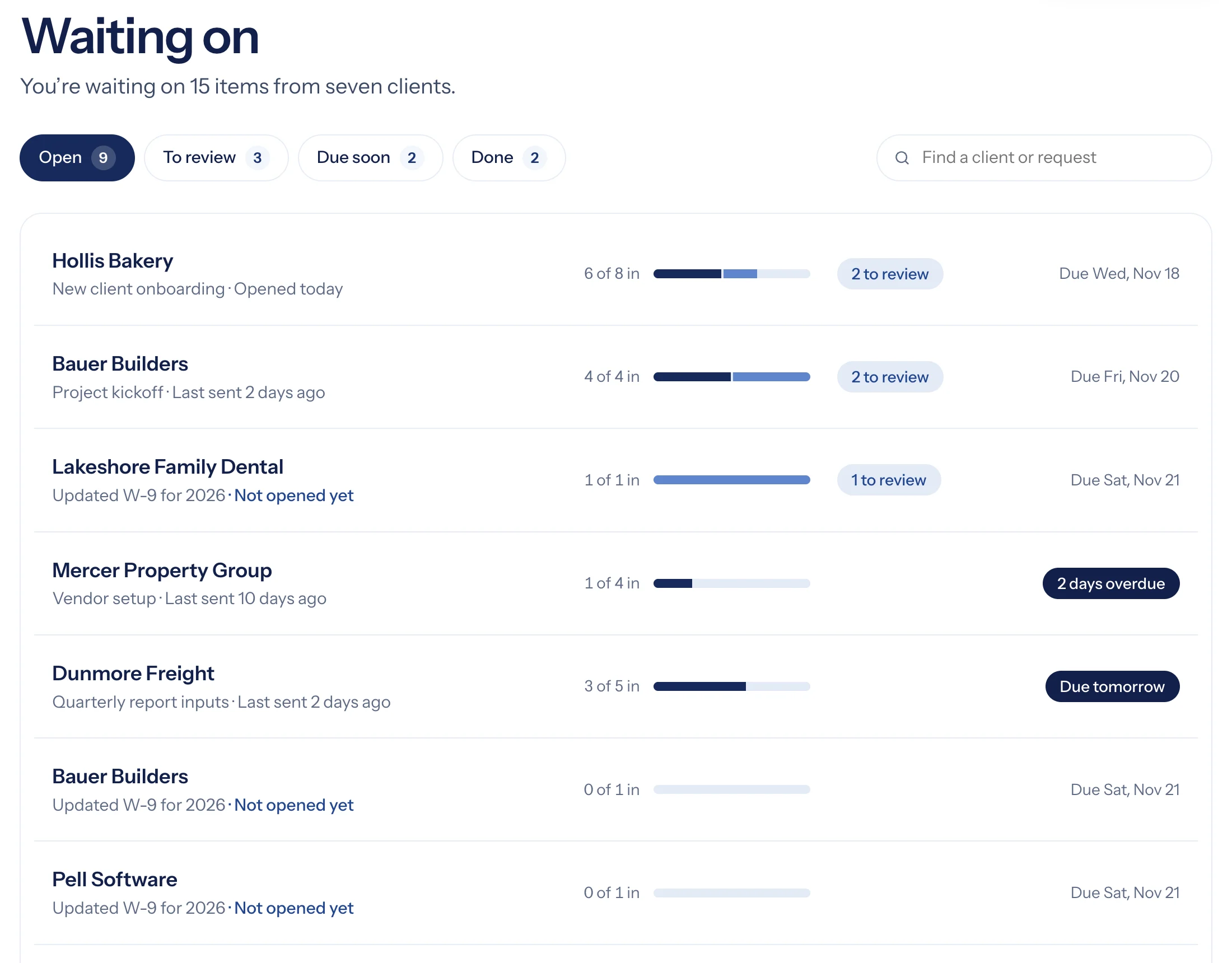
Stop keeping a list in your head. Collect tracks what’s missing and follows up for you.
- Automatic reminders
- Polite emails that list only what’s missing, and stop when it’s all in.
- Who’s looked
- See whether a client has opened their link, and when.
- Urgent first
- Overdue and due-soon requests rise to the top.
- Your day, sorted
- Today shows what needs you next, starting with reviews.
Review
No sorting. No searching. Just review.
- Accept, or ask again
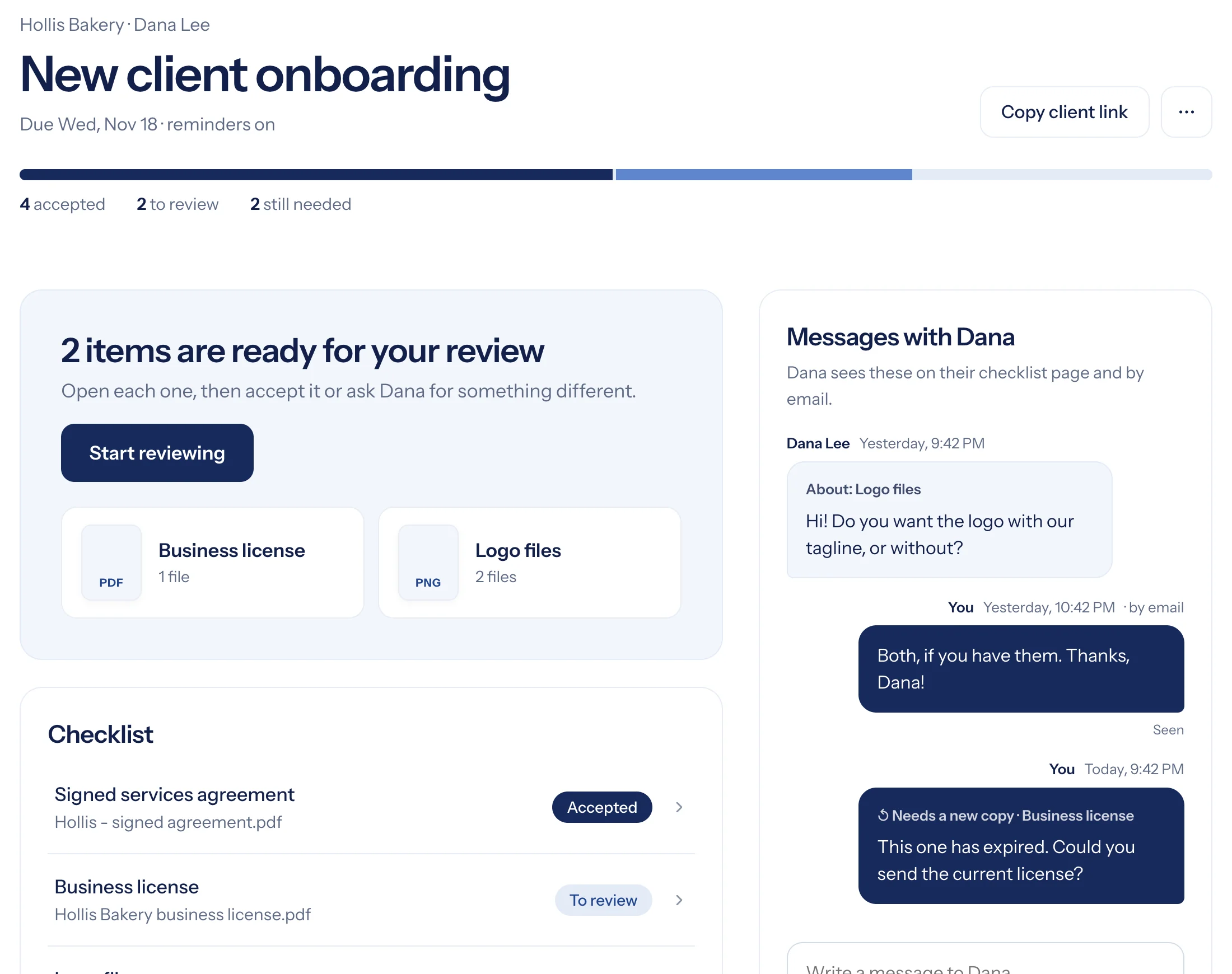
- One click, or a note that goes straight to your client.
- See it without downloading
- Preview documents and photos right in Collect.
- Download it all
- Every file for a request in a single zip.
Talk
Questions and answers. Always in context.
- Messages beside the checklist
- Clients ask about a specific item; you see which one.
- Email in, email out
- Clients can simply reply to your email; it lands back in Collect.
- Notifications you control
- A bell for what’s new, and email alerts you can tune.
Could you send the current business license? The one we have has expired.
Team and data
Work together, and stay in control of your clients’ information.
- Teammates
- Invite your team and assign requests.
- Roles
- Owners and admins manage settings and invites.
- Team notes
- Leave notes on a request. Clients never see them.
- Activity history
- See every upload, review and reminder on a request.
- Passcodes
- Extra protection for sensitive requests.
- Links that expire
- Choose how long client links work.
- Deleted on your schedule
- Files removed a set time after a request finishes.
- Encrypted
- In transit and at rest, never public.
- No client accounts
- No client passwords to leak or reuse.
Ask onceGet everything
14 days free. No credit card. Try it with your next client.
Start free for 14 days